Block Check and Unblock Request
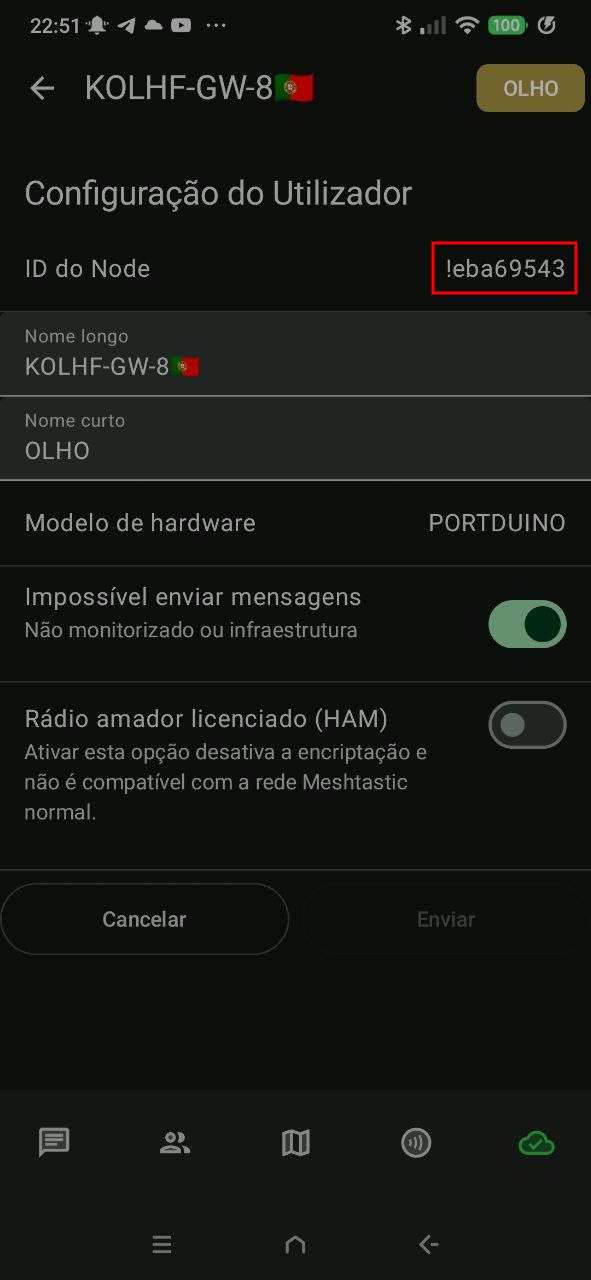
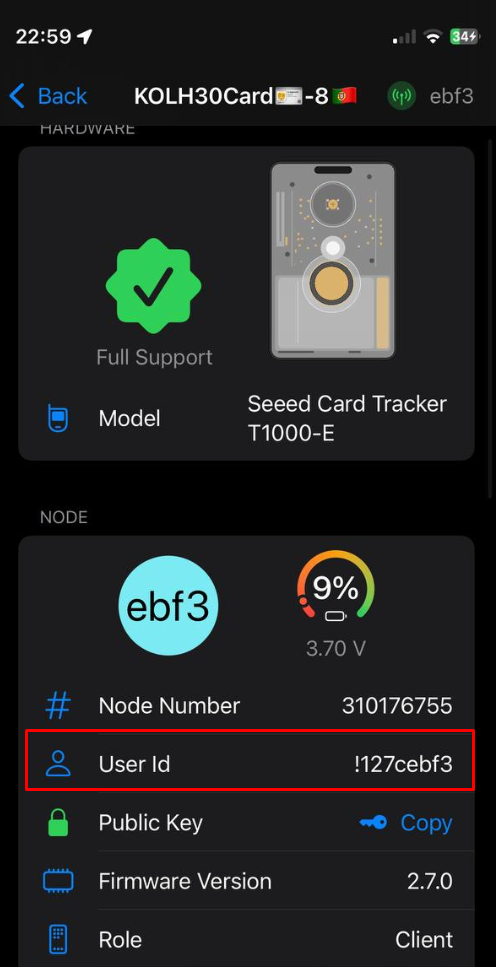
Check whether a Node ID or IPv4 address is blocked and submit an unblock request if needed.
🔍 Check if the Node ID or IPv4 address is blocked
Checking...
ℹ️ How it works
The community MQTT server blocks Nodes and automatically blocks IPv4 addresses to ensure network stability and proper operation.
Main blocking reasons include:
- ❌ Too many hops or too few hops
- ❌ Misconfigured telemetry (intervals too short)
- ❌ Use of HAM mode
- ❌ Range Test
- ❌ Offensive language / Threats of physical harm
- ❌ Router / Repeater / Router Late mode in conflict with the core network
- ❌ Store and Forward spam
- 🌐 IPv4: rate limits exceeded due to excessive requests or traffic in a short period
- 🌐 IPv4: too many connections or connection attempts to the MQTT broker
- 🌐 IPv4: flooding, abusive automation, or suspicious behavior detected by service protections
❓ Frequently Asked Questions
A ban may block a Node ID or, in automatic cases, the IPv4 address used to connect to the community MQTT server.
You can check on this page whether your Node ID or IPv4 address is blocked.
You can request the unblock of a Node ID or an automatically blocked IPv4 address after fixing the cause of the block.
Whenever possible, moderators send a direct message via MQTT. If you are not on Telegram, you may not receive a notification.
Yes. Some tutorials do not follow the best practices of the Portuguese community. Always check our website.
To protect network quality. Unblocking is available for those who collaborate constructively.
On the device or network used by the Node to connect to MQTT, search for “what is my IP” in a browser and confirm the result is IPv4 (for example,
203.0.113.10). Mobile data, VPNs, CGNAT, or different networks may change or share the address; check it from the same connection used by the Node.
Questions? Contact us via Telegram.